Your phone
Sessions, chat, tools, control
YOUR MAC. YOUR AGENTS. YOUR TAILNET.
ComPInion turns the Pi and Codex processes running on your Mac into one private, mobile-first switchboard—without moving your code or agent runtime to a cloud service.
THE AGENT STAYS WHERE THE CODE LIVES.
01 / SIGNAL PATH
The browser never speaks Pi RPC or Codex JSON-RPC. A small Bun host owns those privileged local processes and exposes a narrow intent-and-event API.
Sessions, chat, tools, control
Private TLS inside your tailnet
Policy, process ownership, normalization
Your code, credentials, sessions, tools
The web servers bind to 127.0.0.1. Tailscale Serve terminates private HTTPS. No Funnel. No public listener. No browser access to raw agent protocols.
02 / HOW COMPINION WORKS
This is the complete path from a fresh checkout to controlling your first local coding-agent session from the phone.
Install ComPInion with Bun. Make sure Tailscale is connected, then authenticate the engine you want to control.
$bun install$codex login status # Codex onlyDONE WHENYour Mac has the web console and an authenticated local agent runtime.
Link ComPInion globally, then install its macOS service. The supervisor starts at login, health-checks both native engines, and restarts crashes automatically.
$bun link$companion installDONE WHENThe switcher listens on 4316; Pi and Codex are online behind it.
Tailscale Serve adds one private HTTPS address in front of the unified control plane. It stays inside your tailnet—never use Funnel.
$tailscale serve --bg --https=8442 http://127.0.0.1:4316$companion statusDONE WHENOne private URL reconnects after network loss; the service starts again after Mac login.
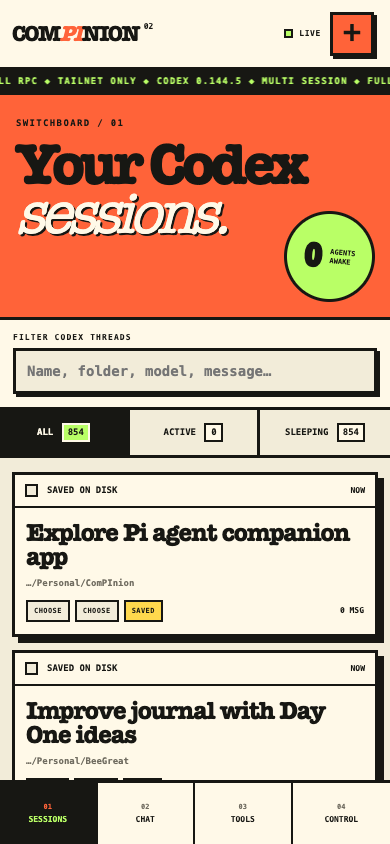
Turn on Tailscale on your phone and open the single private URL printed by ComPInion. Save it to your home screen for app-like access.
→Open → https://your-mac.your-tailnet.ts.net:8442
→Choose → Pi or Codex
DONE WHENThe engine switcher loads without exposing any gateway publicly.
Choose Pi or Codex, tap the orange +, browse to a project—or create its folder—then select the access and trust you intend to grant.
→Choose engine → + → choose folder
→Choose access → choose trust → Start
DONE WHENComPInion starts the native agent inside exactly that working directory.
Send the first task in Chat. Follow Tools for live work, answer approvals when needed, and use Sessions to move between active or sleeping agents.
→Chat → send / steer / follow up
→Tools → inspect / approve
→Sessions → sleep / resume / archive
DONE WHENThe Mac keeps working while the phone remains your focused control surface.
Close the laptop lid only if macOS is configured to stay awake; the agent and Bun gateway must keep running on the Mac.
03 / NATIVE ENGINES
ComPInion does not pretend the engines are identical. Each adapter preserves its native lifecycle, then maps it into a shared session language.
RPC / JSONL
One isolated Pi child per active workspace. Native events become messages, tool traces, lifecycle receipts, and extension dialogs.
APP-SERVER V2
One long-lived Codex app-server powers many persistent threads. JSON-RPC requests and notifications are normalized behind the same UI.
04 / CONTROL SURFACE
Create in any allowed folder, search the archive, wake, sleep, rename, fork, clone, or archive.
Stream agent messages, reasoning, plans, tool output, diffs, token usage, retries, and compaction.
Prompt, steer mid-run, queue a follow-up, interrupt, answer questions, and approve sensitive work.
Choose models and effort, change trust modes, inspect history trees, run shell commands, and export HTML.
APPROVALS / LIVE
Codex command and file-change requests, permission elevations, MCP elicitations, and Pi extension questions are translated into explicit phone dialogs.
bun run typecheckWorking directory
…/Personal/ComPInion
05 / START LOCAL
Install with Bun, start the engine you want, and proxy its loopback port with Tailscale Serve. Your agent credentials stay in their existing local stores.
bun installbun run companionbun run companion:installKEEP THE RUNTIME. LOSE THE CHAIR.